|
So
you are now ready to go find your target cache. Call it up on your app or GPS
unit and off we go. Simply follow its direction until it says you are close
to the cache. However there’s a few little things
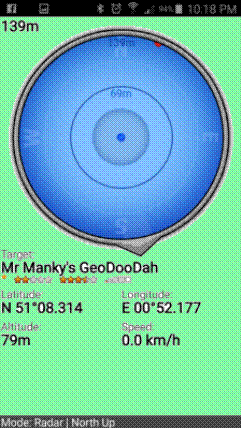
that are worth bearing in mind. You’ll hear a phrase in geocaching: “following the arrow”. It implies
that you follow the arrow to the cache. There is an arrow on the screenshot
to the right; it is pointing down (to
about 5 o’clock) Don’t
follow the arrow. In reality the arrow is for appearance, and it rarely (if ever) points to the target until
you start moving. Instead look at the distance from target (in this case top left – 139m)
and watch it go up and down as you walk about. Talking
of walking about… once the arrow does stabilise it will (probably) point at the target. But it
will point at the target; NOT at how to get there. It will point directly
across a river, across private land, through brick walls. You
*can* set your app or GPS unit to be one big arrow like the one to the right.
But don’t do that. This
is where your GPS unit or app needs a map,,, |
|
|
|
Let us be crystal clear here…
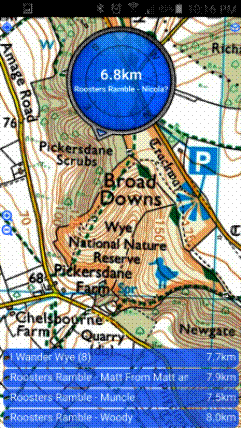
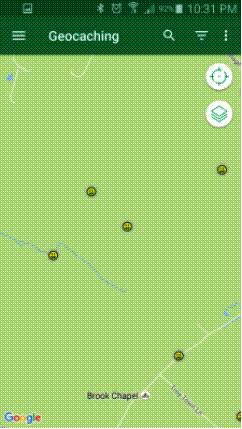
not all maps are the same. Take these two screen shots. Both from the same
location showing the same caches (albeit
with north not being in the same direction on either) One shows footpaths, buildings,
objects of note; one does not. Your gadget will also mark your
position on the map with an icon that moves as you move (not shown in these shots). With the map on the right you can see
that you are on a footpath. That is rather useful as the footpath will lead
you to gates and stiles. Using the map on the left you could end up anywhere…
Which map you use is up to you, but
generally (like most things in life)
if something is free there is a reason for it being free. And beware of those “open source” maps that people
can edit. Just because someone has drawn a path on an open source map doesn’t
mean there is any right of way… |
|
|
|
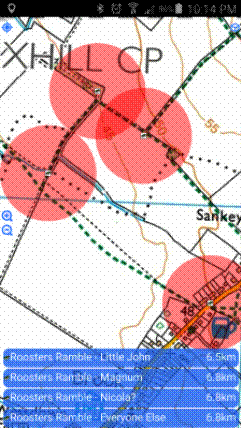
Here’s the ideal arrangement: a
good map with a compass/arrow. Most apps can be set up like this; not all GPS
units can be. Spend a little while fiddling about
with your gadget to get it so you can see both a map and a compass. This is
probably best done at home when you have time to fiddle about. Don’t
try to figure out the intricacies of the device when you are trying to use it
for the first time; you’ll just get angry with it. So… You’ve got yourself a
way of getting to the cache… you’ve marched along in the general
direction of that arrow and the number telling you how far you are from that
cache is steadily counting down. It (probably)
won’t get to zero (they rarely do),
but once the number gets to about two to three metres (less than ten feet) start looking. You can’t see anything, can you… |