So
you’ve found the geocache. Now what?
|
1.
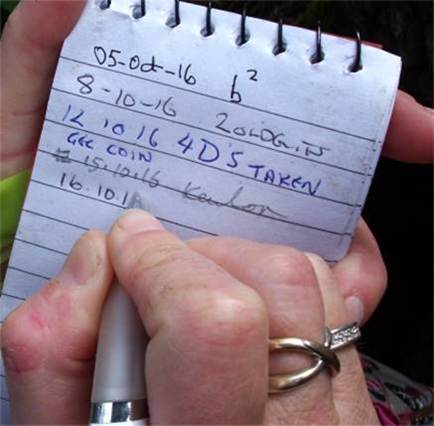
Sign the log. 2.
Put it back 3.
Log your find
electronically 4.
Go find another |
|
Electronic
Logging
|
|
You
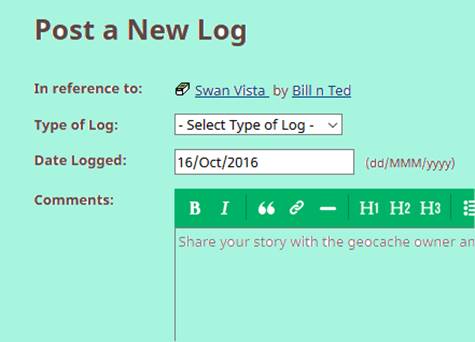
also need to register your find on geocaching dot com. You can do that via
your app when out caching, or when you get home… Logging via your app The
various apps operate in different ways, but basically type in what you want
to say and press “enter”. However
this will rapidly eat your phone’s battery and is entirely dependent on
having internet signal for it to work. In frustration you may well try to
re-send your log and end up trying to log the same cache several times and
the system doesn’t like that. Logging via the website Most
apps allow you to make field notes about each cache. This is less intensive
on batteries, and you can then upload your field notes to geocaching dot com
(and amend or elaborate on them)
when you get home. You can upload them one at a time, or in bulk via GSAK. |
|
What to say in your log At the
risk of being flippant, it is probably fair to say that whatever you write
will be wrong. You are supposed to write a little story about your caching
experience with regard to that particular cache. C.O.s like to read that.
Apparently. It is
considered bad form to put spoilers for a particular cache into your written
electronic log. However that is the only reason anyone ever reads them. Writing
“TFTC” (“thanks for the cache”) is considered very bad form even though
many people do so. Copy
& Pasting logs is also looked down upon (most of my logs are copy & pasted) Realistically
log in whichever way suits you. I copy and paste with a link to a daily
on-line diary I keep. From a purely personal point of view I maintain the
hobby is a treasure hunt, *not* an
exercise in creative writing, and I will only take criticism of what I’ve
written from other published authors. If the cache
needs repair don’t mention this only in your log; write a second “Needs Maintenance” log |
|